Core Compliance Platform Change Password process
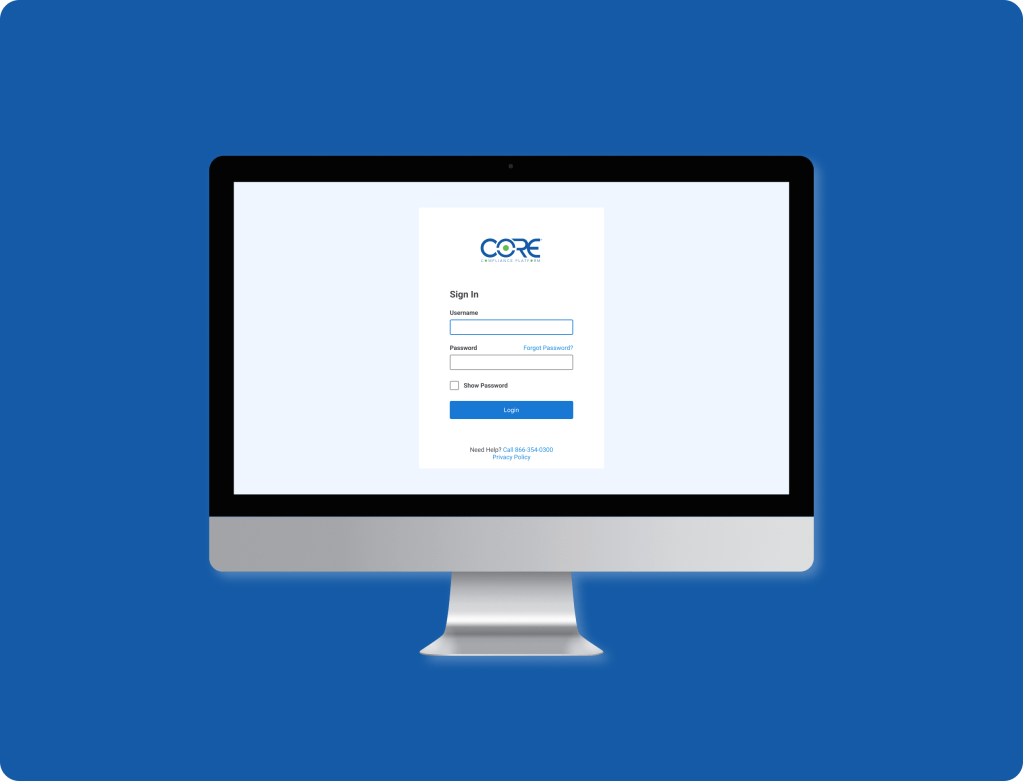
My role: UI designer, wireframes, mockups, prototypes
Software: Figma
Overview
The user: Users are primarily owners of or employed by small businesses. Quality standard compliance is one of many roles they are responsible for. Managing compliance isn’t always their main focus.
The problem: Users needed to reset their passwords from time to time because of automated password expiration for security reasons or because they forgot their password. The process was complicated and often required calls or emails to customer support to complete the task successfully. This caused frustration for the customer and was an unnecessary use of time for the customer support team. Additionally, users did not always set strong passwords that followed best practices.
The solution: Create a feature that allows users to reset their passwords and provides clear criteria for strong passwords and feedback on the password’s strength.
Preliminary research
I worked with a team of developers. We first did research to settle on what criteria would make the strongest password while being the least frustrating for users. After consulting numerous resources for secondary research on cybersecurity, the team settled on two mandatory criteria and a third optional one:
1. The password must be a minimum of eight characters.
2. The password must not contain common words or phrases.
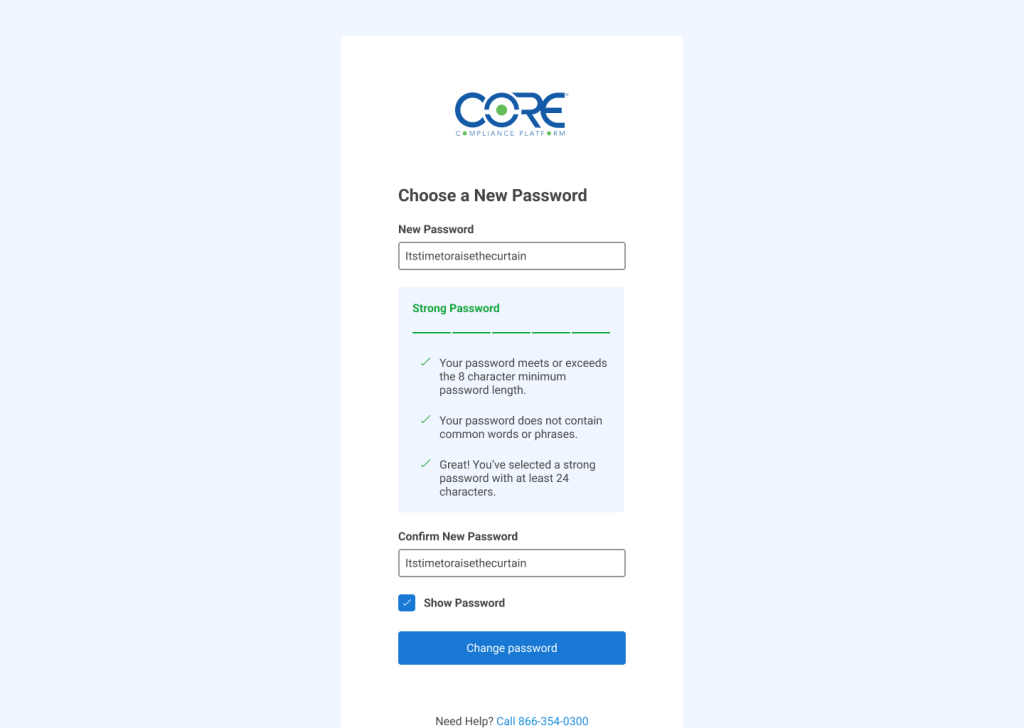
3. For additional protection, encourage users to create a password that is 24 or more characters.
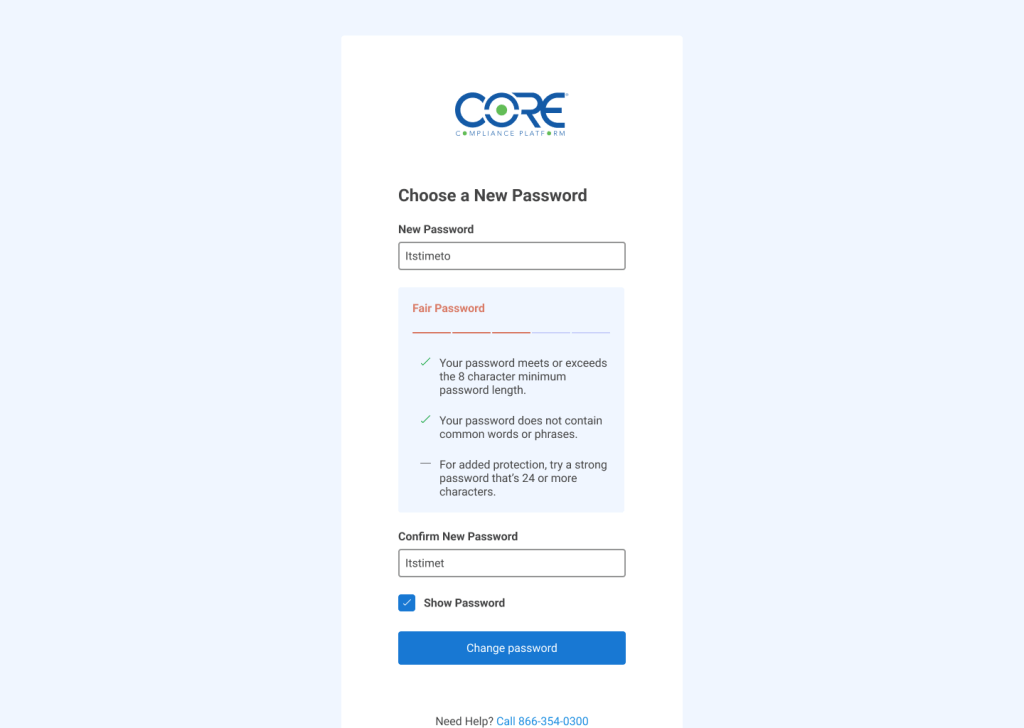
The team agreed that forcing the use of numbers, upper and lowercase, and symbols made the passwords more difficult to remember and contributed to frustration. They simultaneous did not protect as well as passwords that consisted of more characters. We decided instead to encourage users to make a password that would be easier for them to remember while providing better protection against brute force attacks.
Wireframes
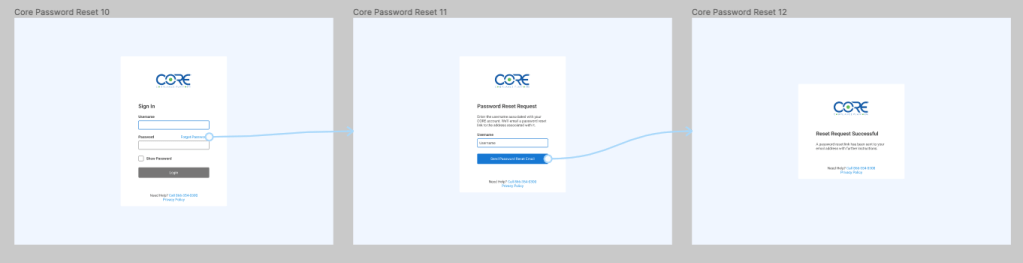
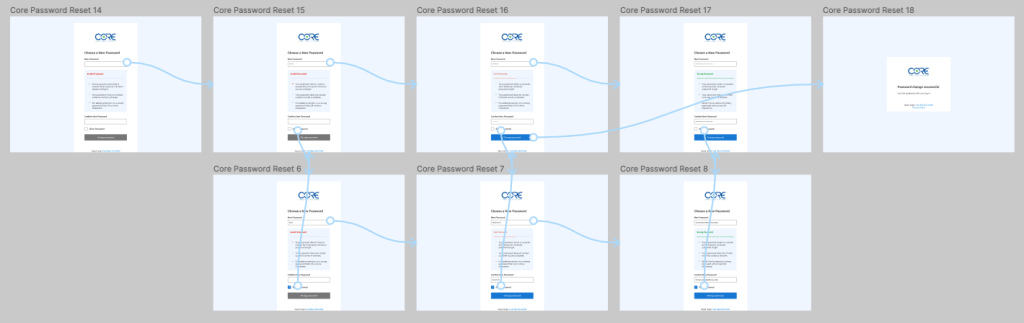
CORE is a software product that is primarily used from desktop computers, so this was an occasion where starting the design process for desktop and adopting a “graceful degradation” approach later made the most sense. First I accounted for resetting the user’s password which would send a link to the email associated with the username, shown on the first line of wireframes. Once that link was clicked, users would be prompted to choose a new password as shown on the second line of wireframes.

Mockups and high-fidelity prototype
After the leadership team approved initial designs, work began on mockups and high-fidelity prototypes. These are the mockups for the password reset process:

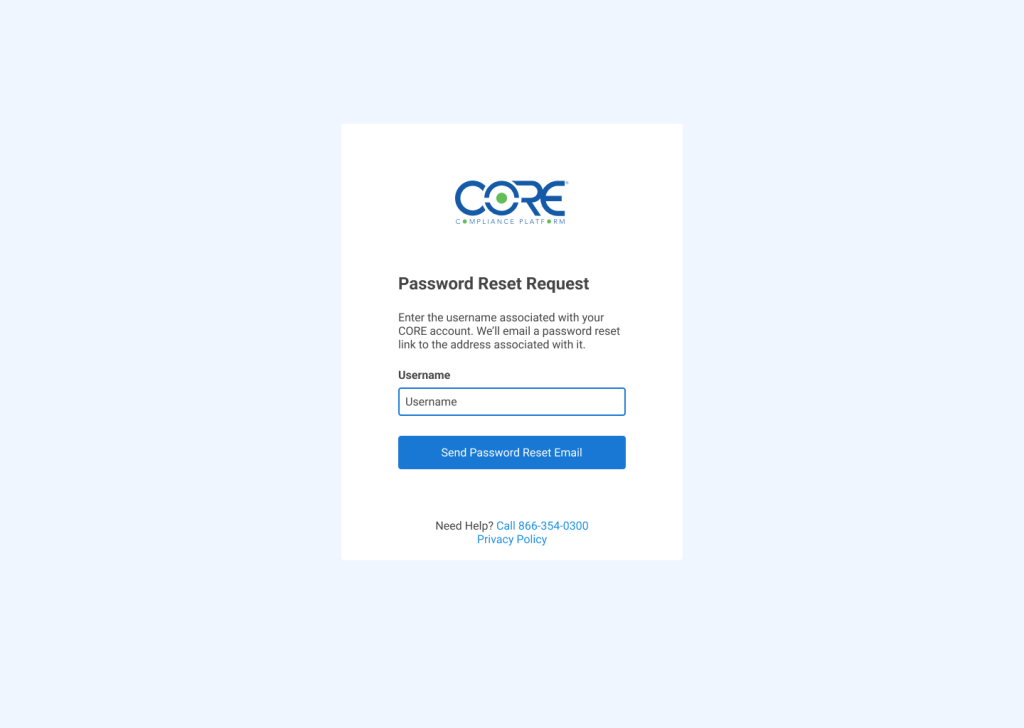
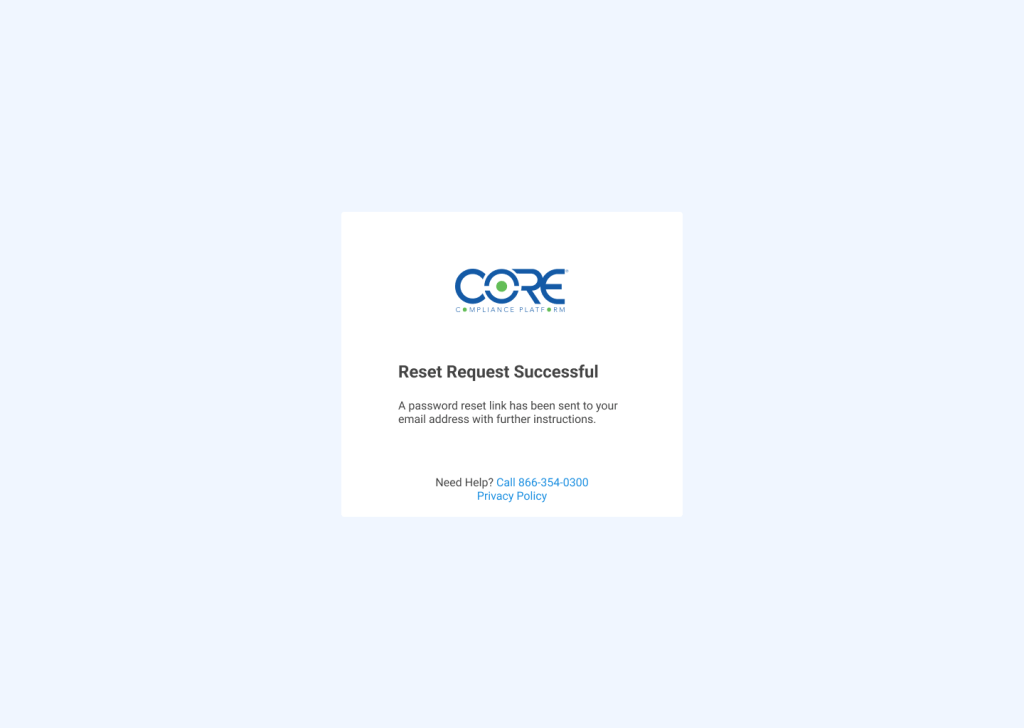
And these are the mockup designs for choosing a new password. The criteria is shown beneath the password change field so users do not have to rely on active memory and can observe progress or any errors as they are made.
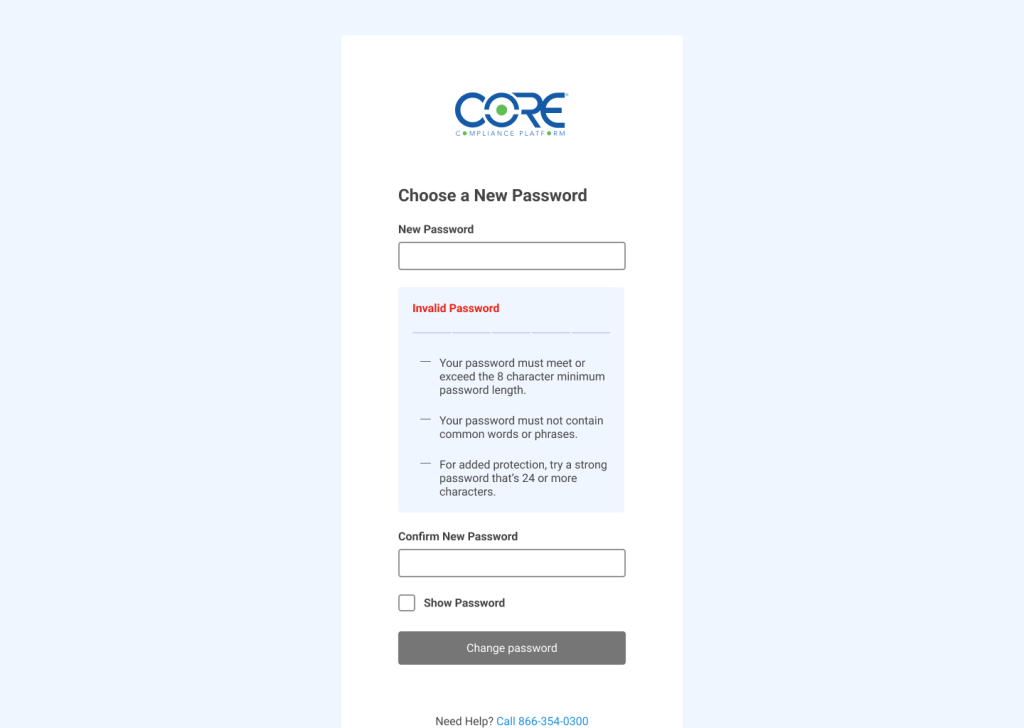
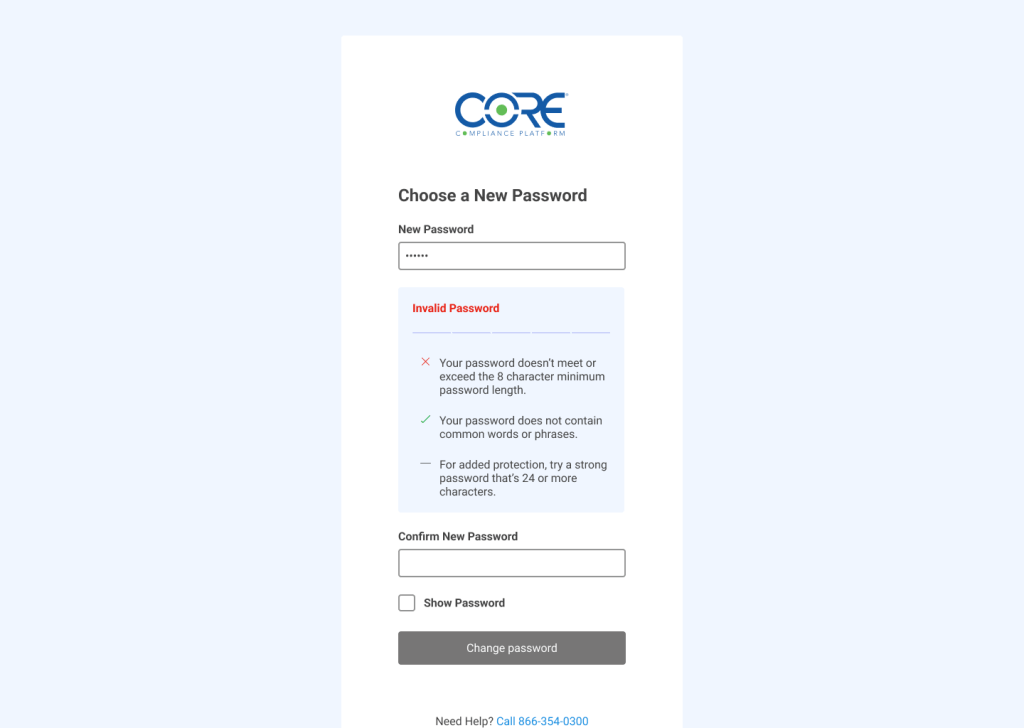
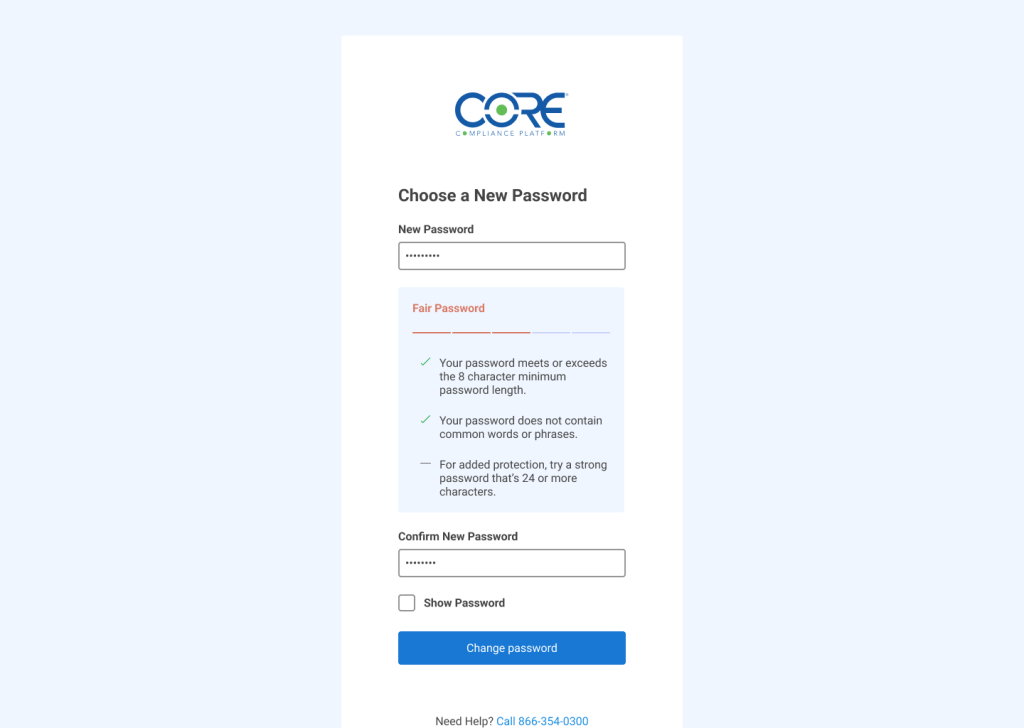

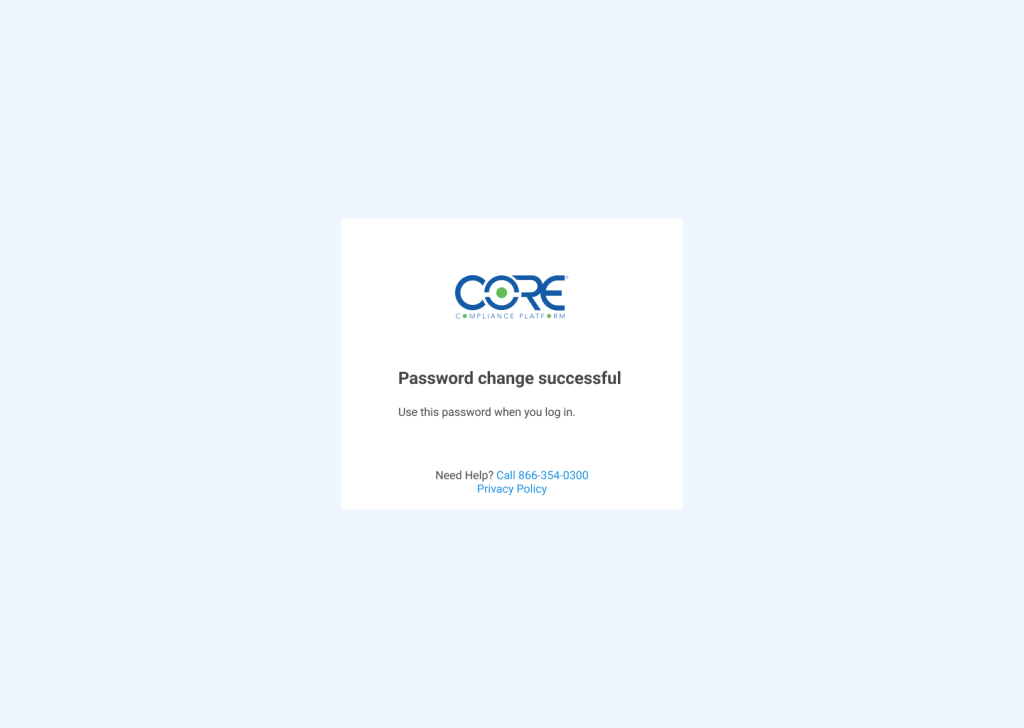
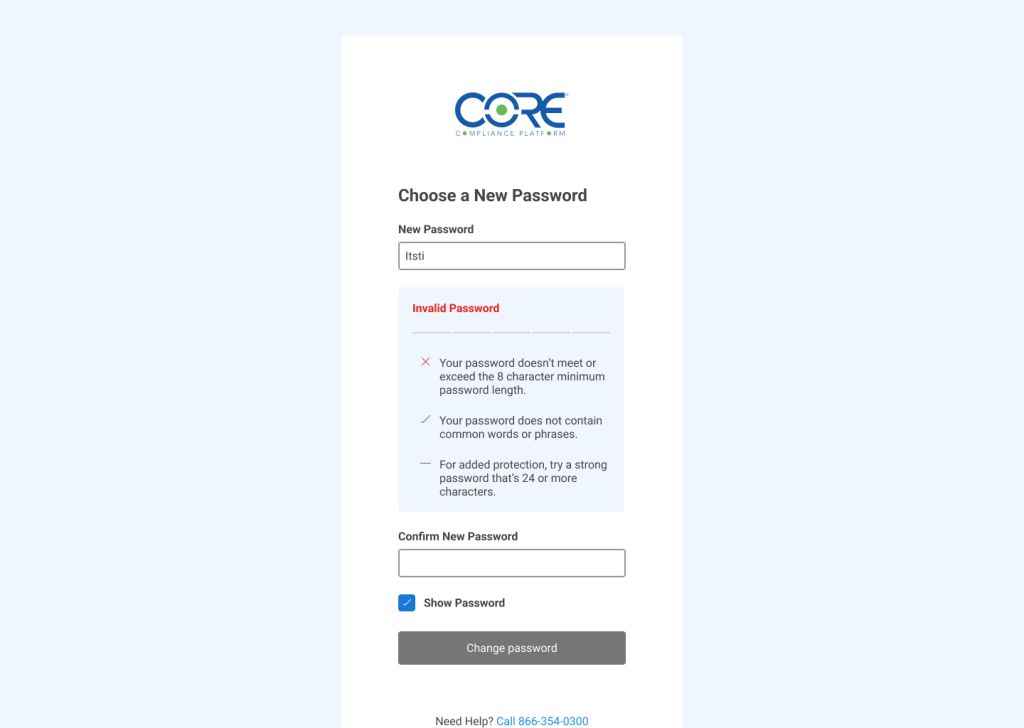
One unexpected concern came up during this process. We wanted to provide users the option to see what they were typing in the password field. It was decided to position it beneath the fields so that there would never be content overlapping it.
Sticker sheet
These are the reusable components I created to build the app.

Next steps
CORE Compliance Platform does not currently have a mobile version. Once a version that is mobile friendly is in the works, I would welcome an opportunity to revisit with that functionality in mind.
If you have any questions, I would welcome an opportunity to discuss this project with you.


 Kevin Seibert Design